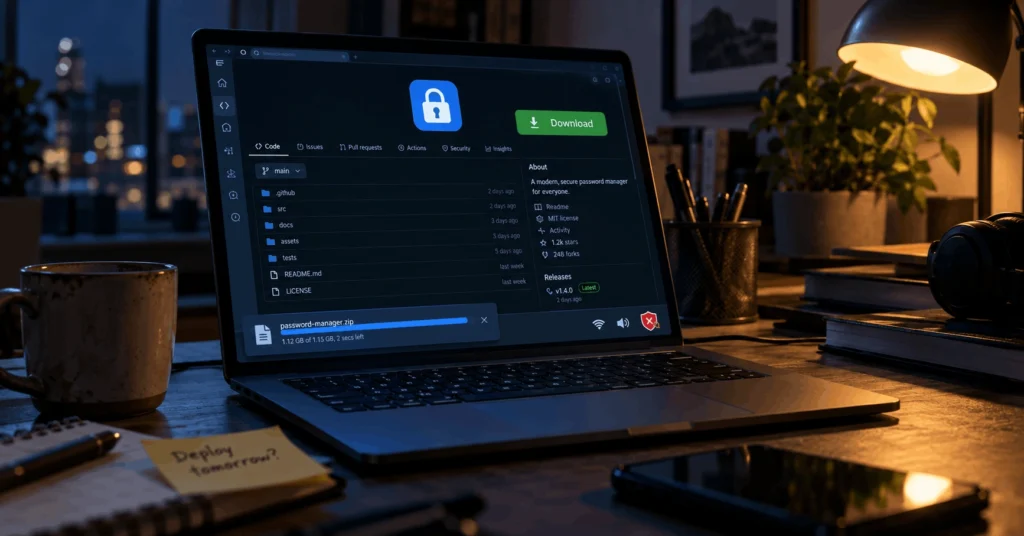
A new malware campaign is turning one of the most trusted names in password security into bait. Attackers built fake GitHub pages that pose as LastPass Authenticator and dozens of other apps. Anyone who downloads from them ends up with the Rapuncel infostealer. It also brings a driver that shuts off antivirus tools before the theft begins.
How Fake GitHub Pages Lure Victims
Researchers at LastPass and Delphos Labs found the scheme, which copies the password manager and at least 39 other brands. The pages rank well in search results, so they show up when people look for popular apps. Because GitHub hosts so much real software, a clean-looking page seems normal to most visitors.
Once a visitor clicks the download button, the page bounces them through several redirects. They then land on a server that hands over a ZIP file of up to 148MB. That is far bigger than any installer needs to be, and the extra bulk has a job. Many security scanners skip files above a certain size, so a bloated file can slip through.
What Happens After You Run the Installer
Inside the ZIP sits a renamed copy of a real Microsoft debugging tool. The attackers set it up to load a malicious file placed next to it, a trick known as DLL sideloading. Because Windows sees a real Microsoft program running, the launch raises fewer red flags.
From there, the installer drops two components onto the machine. One is the Rapuncel infostealer, and the other is a kernel driver named Alinubx.sys. The driver goes to work first, and it makes this attack far more dangerous than a routine password theft.
A Driver Built to Kill Security Software
Once installed, the driver poses as an NVIDIA part and registers as a Windows service. Inside, it holds a list of 145 antivirus and endpoint detection products, and it shuts down each one it finds. Because it runs at the kernel level, the deepest layer of Windows, it can bypass Protected Process Light. Many security tools rely on that safeguard to stay running.
To make matters worse, the driver carries a valid Microsoft signature. Microsoft’s blocklist of risky drivers doesn’t include it yet, so Windows has no reason to reject it. The researchers also found dormant features for hiding files and rerouting traffic, but the attackers have not switched them on.
What the Rapuncel Infostealer Takes
With security tools out of the way, the Rapuncel infostealer starts collecting everything it can reach. Nothing on its list is random, because attackers can sell each item or use it to break into other accounts. Here is what it grabs:
- Saved passwords and logins from 25 web browsers
- Data from 30 crypto wallets
- Active sessions for Discord, Steam, and Telegram
- Everything stored in Windows Credential Manager
- Files with “password,” “seed,” “wallet,” or “recovery” in the name
- Screenshots of every monitor, plus system details
The malware also gets around the extra encryption that Chrome, Edge, and similar browsers use for saved passwords. It does this by slipping a helper file into the browser and abusing the browser’s own tools. After that, it packs up the stolen data and sends it to a server the attackers control.
Why Session Theft Matters
Stolen session tokens can do more damage than stolen passwords, and the Rapuncel infostealer takes both. A session token lets an attacker step into an account that is already logged in. As a result, two-factor authentication never gets a chance to stop them, and even careful users can lose their accounts.
On top of that, the Rapuncel infostealer runs as a Windows service, so it survives every reboot. Each time the computer restarts, the driver kills any security tool that tries to come back. The researchers also believe, with moderate confidence, that Rapuncel is a variant of an older stealer called BoryptGrab.
Why Attackers Chose LastPass as Bait
Security apps make ideal lures because the people who search for them already care about safety. Someone who wants an authenticator app expects to install software that handles private data, so nothing feels strange. That trust gives attackers an opening that a fake game cheat could never match, and it makes the Rapuncel infostealer much easier to spread.
To be clear, nobody hacked LastPass itself. The company’s own researchers helped expose the campaign, and the fake pages have no link to its real products. Instead, the attackers borrowed its name, along with dozens of others, to make the Rapuncel infostealer look like a safe download.
How to Protect Yourself From the Rapuncel Infostealer
Good protection starts before you click any download button. Always get software from the developer’s official site or a trusted app store. Also, treat GitHub links from search results with caution, and skip the sponsored results at the top of search pages.
If you think you ran a file from a fake page, disconnect the computer from the internet right away. Then scan it with a bootable rescue tool, because the driver may have disabled your normal antivirus. Next, change your passwords from a clean device and log out of every active session. Moving crypto funds to a fresh wallet is also wise, since the Rapuncel infostealer goes after recovery phrases.
A good VPN still belongs in your toolkit, but it plays a different role here. It encrypts your traffic and hides your IP address, yet it can’t stop malware you install yourself. Some providers, such as NordVPN and Surfshark, block known malicious domains, which adds one more layer of defense.
Final Thoughts
This campaign stacks several tricks into one attack, from fake pages in search results to a signed driver that silences antivirus tools. Once those defenses fall, the Rapuncel infostealer drains passwords, sessions, and crypto data with nothing left to stop it. So the safest habit is simple: download only from official sources, and question any link that feels off. A few seconds of checking can spare you weeks of account recovery.
