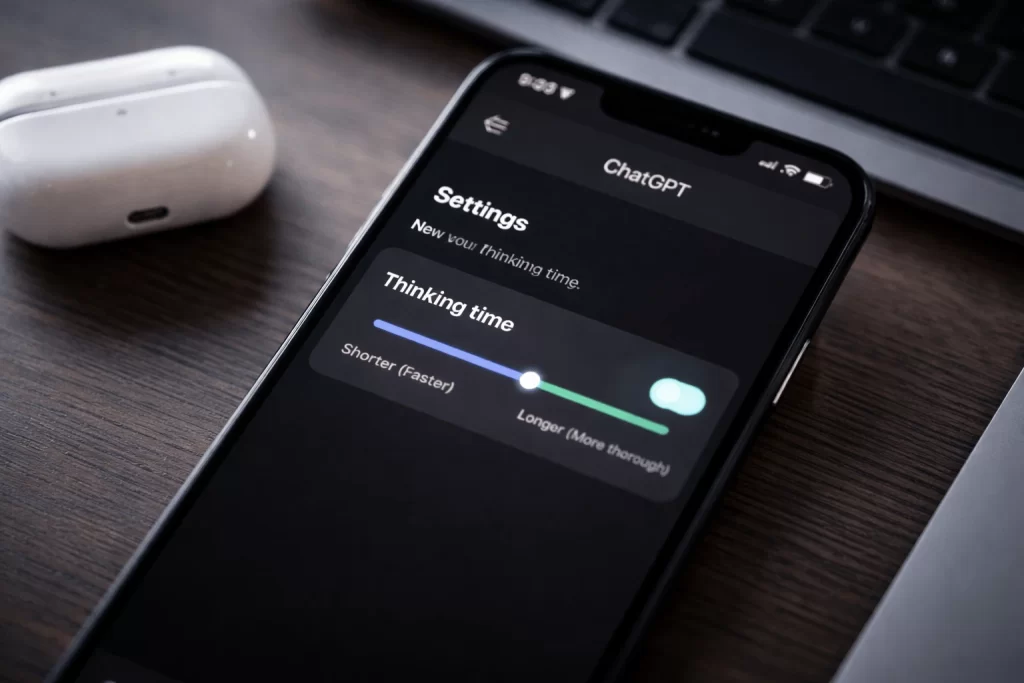
ChatGPT thinking time is rolling out on mobile devices, giving users direct control over how deeply the AI reasons before responding. The new toggle allows people to choose between faster replies or more deliberate, analytical answers. This update reflects a broader shift toward user-controlled AI behavior, especially as expectations around transparency and flexibility continue to grow.
What ChatGPT Thinking Time Does
The thinking time toggle changes how much internal reasoning the model applies before generating a response. Shorter thinking time prioritizes speed and conversational flow. Longer thinking time allows the system to analyze the prompt more carefully.
This adjustment happens entirely behind the scenes. The interface remains simple, but the output often becomes more structured and logically consistent when deeper reasoning is enabled.
Tasks that involve technical analysis, multi-step logic, or problem solving tend to benefit most. Simple questions usually see little improvement from extended reasoning.
How the Toggle Works in the Mobile App
The toggle appears as a clear option inside the ChatGPT mobile app. It applies on a per-conversation basis rather than as a global setting. Users can adjust it during an active chat without restarting the session.
The app does not display exact time values or performance metrics. Instead, it presents the choice as a balance between faster responses and deeper reasoning. This design keeps the feature accessible while still offering meaningful control.
Why the Feature Was Introduced
The update follows sustained user feedback pointing out that different tasks require different response styles. A single default behavior often fails to deliver optimal results across varied use cases.
By introducing ChatGPT thinking time, the platform moves away from rigid response patterns. The toggle also aligns with recent advances in reasoning-focused AI systems that perform better when given additional processing time.
Rather than forcing users to switch between models, this approach adjusts behavior dynamically.
Differences Users Will Notice in Practice
With lower thinking time, responses arrive quickly and feel lightweight. This works well for everyday questions, summaries, and casual interactions.
Higher thinking time often results in more carefully structured answers. The system evaluates more possibilities before responding, which can improve accuracy in complex scenarios. The tradeoff is slower response speed.
The difference becomes most noticeable when prompts require layered reasoning or technical depth.
Availability and Current Limitations
The thinking time toggle is rolling out gradually and currently appears mainly on mobile devices. Not all users will see it immediately, as deployment occurs in stages.
The feature does not guarantee better answers in every case. Extra reasoning can add delay without improving simple responses. Users must decide when deeper analysis is necessary.
Desktop and web versions do not yet offer the same control.
Privacy and Security Considerations
Deeper reasoning may involve more extensive internal processing of user input. However, no changes to data handling or privacy practices have been announced alongside this feature.
For privacy-conscious users, the update serves as a reminder to remain mindful about sharing sensitive information with AI tools. The toggle affects behavior, not policy.
What This Signals for AI Development
ChatGPT thinking time reflects a move toward configurable AI systems. Instead of fixed behavior, users can now influence how the system balances speed and quality.
This change suggests that future AI tools may offer additional controls tied to accuracy, creativity, or safety. AI products increasingly resemble adaptable tools rather than static assistants.
For professional users, this flexibility improves reliability across different workloads.
Final Thoughts
ChatGPT thinking time may look like a minor interface change, but it signals a clear shift in AI design. By letting users control reasoning depth, the platform acknowledges that different tasks require different response styles. Speed works for everyday questions, while deeper analysis matters for complex problems.
The feature also points to a broader trend toward user-governed AI behavior. Instead of fixed responses, AI systems are becoming more adaptable and task-aware. Although the toggle is currently limited to mobile, it highlights where AI tools are headed. Greater control, clearer trade-offs, and more flexible use across real-world scenarios.
